Your everyday actions.
One press away.
Launch an app, open a folder, play your music, or trigger a keyboard shortcut. Go further with AppleScript and shell scripts.
 MacroPad
NATIVE MAC APP. HANDS-ON CONTROL.
Put the things you do all day on the buttons and dials right in front of you. MacroPad makes your MSD-TWO feel at home on your Mac.
Made for macOS · Mars Gaming MSD-TWO / HANVON UGEE CS06
LESS REACHING. MORE DOING.WHAT IT DOES
Launch an app, open a folder, play your music, or trigger a keyboard shortcut. Go further with AppleScript and shell scripts.
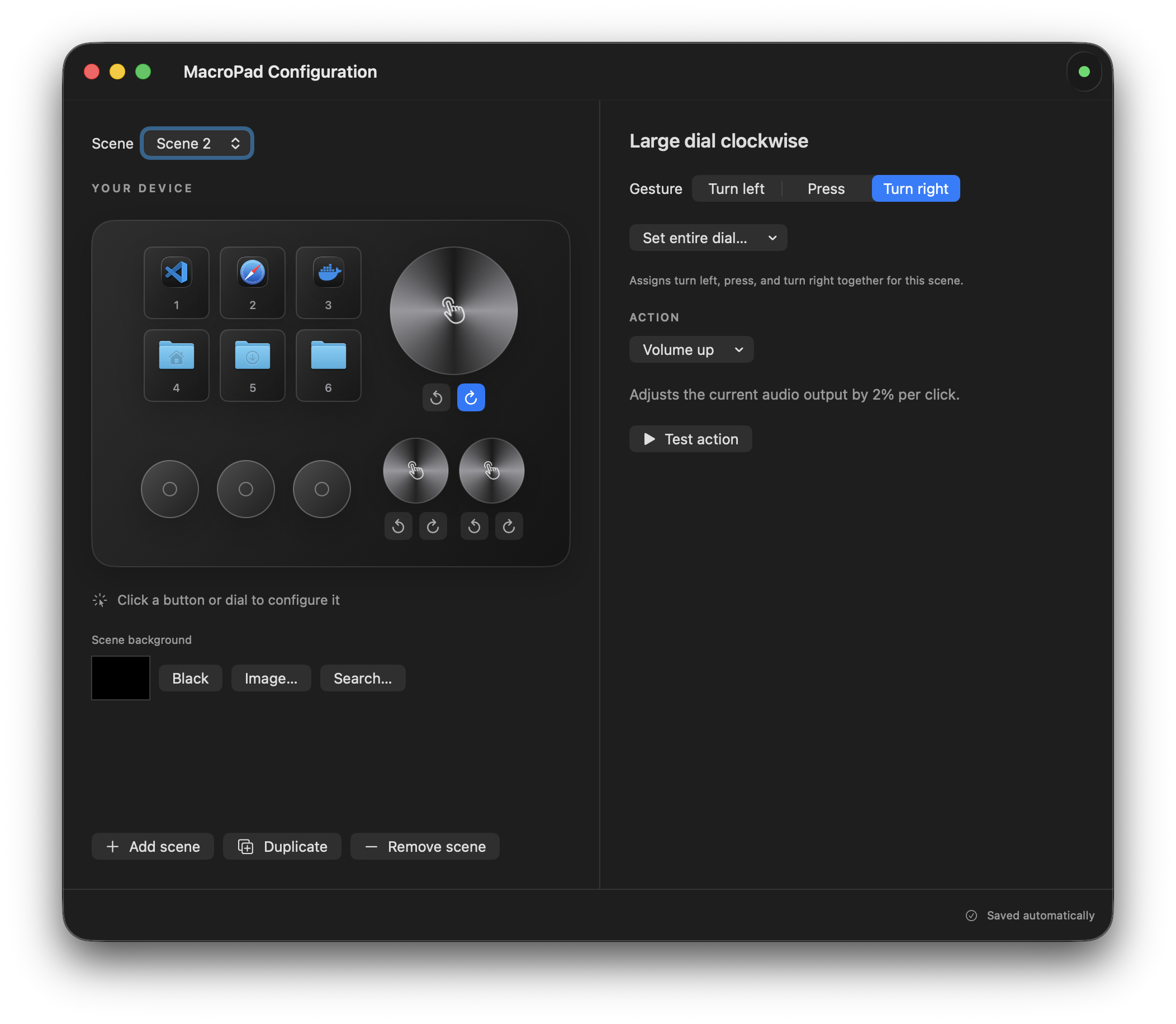
Control volume, Mac brightness, or the pad’s display. Assign turn left, press, and turn right individually, or start with a whole-dial preset.
Create scenes with their own actions, icons, and backgrounds. Duplicate a setup you like, then switch scenes from the menu bar or the pad itself.
THE APP, UP CLOSE
Choose a control on the device illustration.
Give it something useful to do.
 View full size ↗
YOUR PAD. YOUR LOOK.
Use app icons, bring your own images, or find artwork with the built-in image search. Drag and zoom to get the crop right.
Drop an app onto a control to assign it. Drop an image onto a screen key or scene background to change its look.
Take a closer look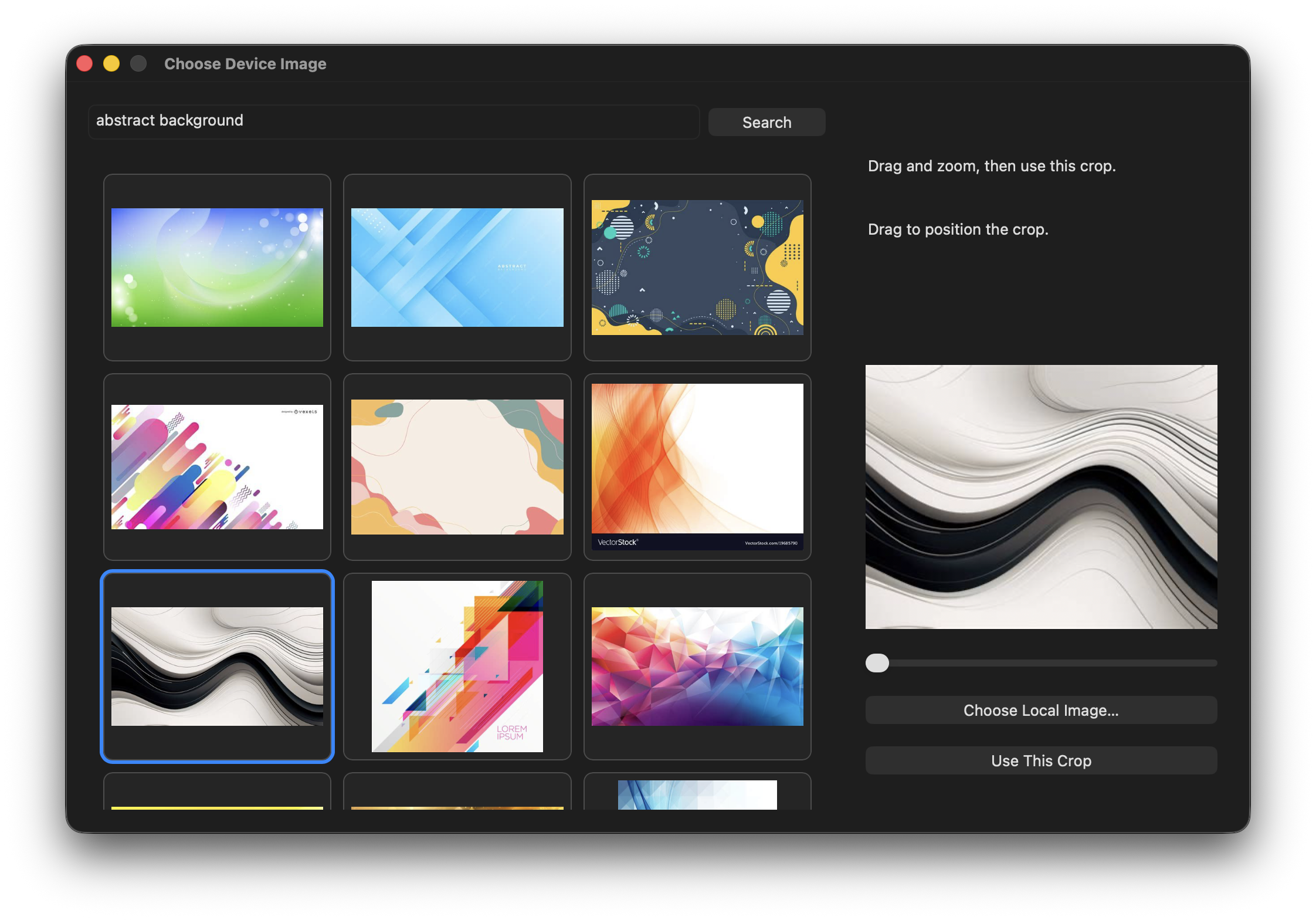
GET STARTED
A native menu bar companion that talks directly to your hardware. No vendor app or driver needed.
Public alpha · v0.1.0 · 2.9 MB ZIP · macOS 14+ · Intel & Apple Silicon
Locally signed. Not notarized by Apple.
Unzip the download and move MacroPad.app to Applications. Follow the first-launch steps below, then open the app.
Connect your MSD-TWO and open MacroPad’s configuration window from the menu bar.
Choose a button or dial, assign an action, and try it. Your configuration saves automatically.
FIRST LAUNCH
These builds are locally signed and aren’t notarized by Apple. macOS may block the first launch.
Or remove the downloaded app’s quarantine flag in Terminal, then open it again:
xattr -dr com.apple.quarantine "/Applications/MacroPad.app"If the app is somewhere else, replace that path. You can drag the app from Finder into Terminal to insert its path. This applies only to that app and leaves Gatekeeper enabled.
Apple’s guide to opening downloaded apps ↗Only approve a download you trust. This is early software; expect bugs and rough edges.
A FEW USEFUL DETAILS
MacroPad is built for the Mars Gaming MSD-TWO / HANVON UGEE CS06 (USB ID 0B00:1001). Other macro pads aren’t currently supported.
Keyboard shortcut playback needs Accessibility permission. AppleScript that controls other apps may need Automation permission. The app reports action errors in its configuration window.
Your scenes, bindings, and custom artwork are saved locally in ~/Library/Application Support/MacroPad/.
Yes. Turn left, press, and turn right can each have a different action in every scene. Whole-dial presets provide a quick starting point for volume, brightness, media, and scene navigation.